See exactly where your time goes.
Every 5 minutes, a screenshot is captured and analyzed by AI — automatically showing how much time you spend on each project. Works across multiple computers, aggregating everything into one view.
Automatic project detection
AI vision analyzes every screenshot to identify which project you're working on, then displays your time distribution in beautiful interactive charts.
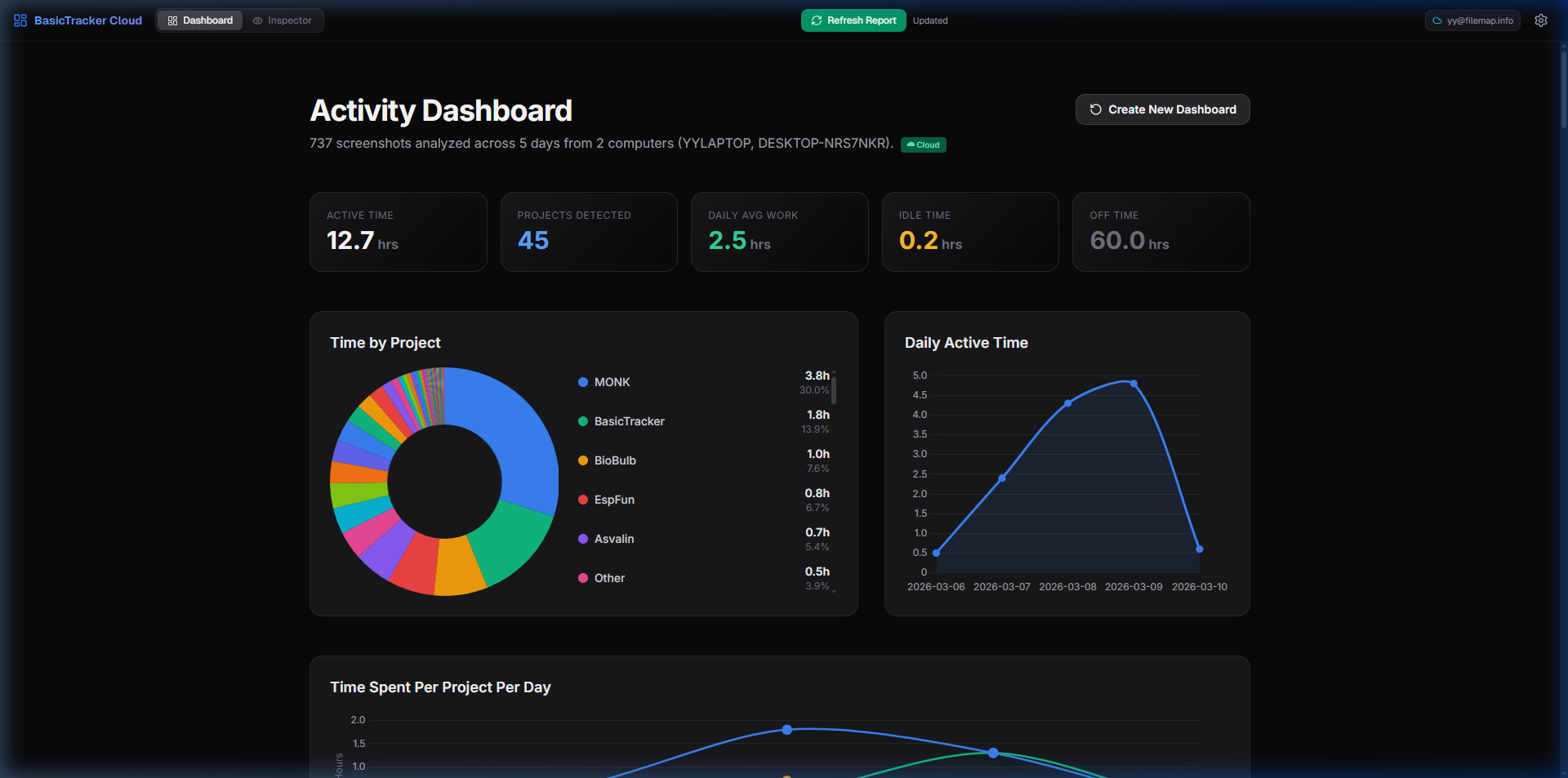
Time by Project
Instantly see how your hours break down across projects with interactive doughnut charts and percentage breakdowns.
Daily Active Time
Track your daily work hours over time. Spot trends, see your most productive days, and understand your patterns.
AI-Powered Detection
Gemini Vision AI automatically identifies projects from window titles, code editors, and browser tabs — no manual tagging needed.
Session Tracking
Detects work sessions, idle periods, and away time automatically. Know exactly when you were focused vs. when you stepped away.
Multi-Computer Sync
Track activity across multiple computers. All data syncs to the cloud and merges into a unified dashboard.
Private & Secure
Your screenshots are processed locally. Only project names and timestamps are synced — never your actual screen content.
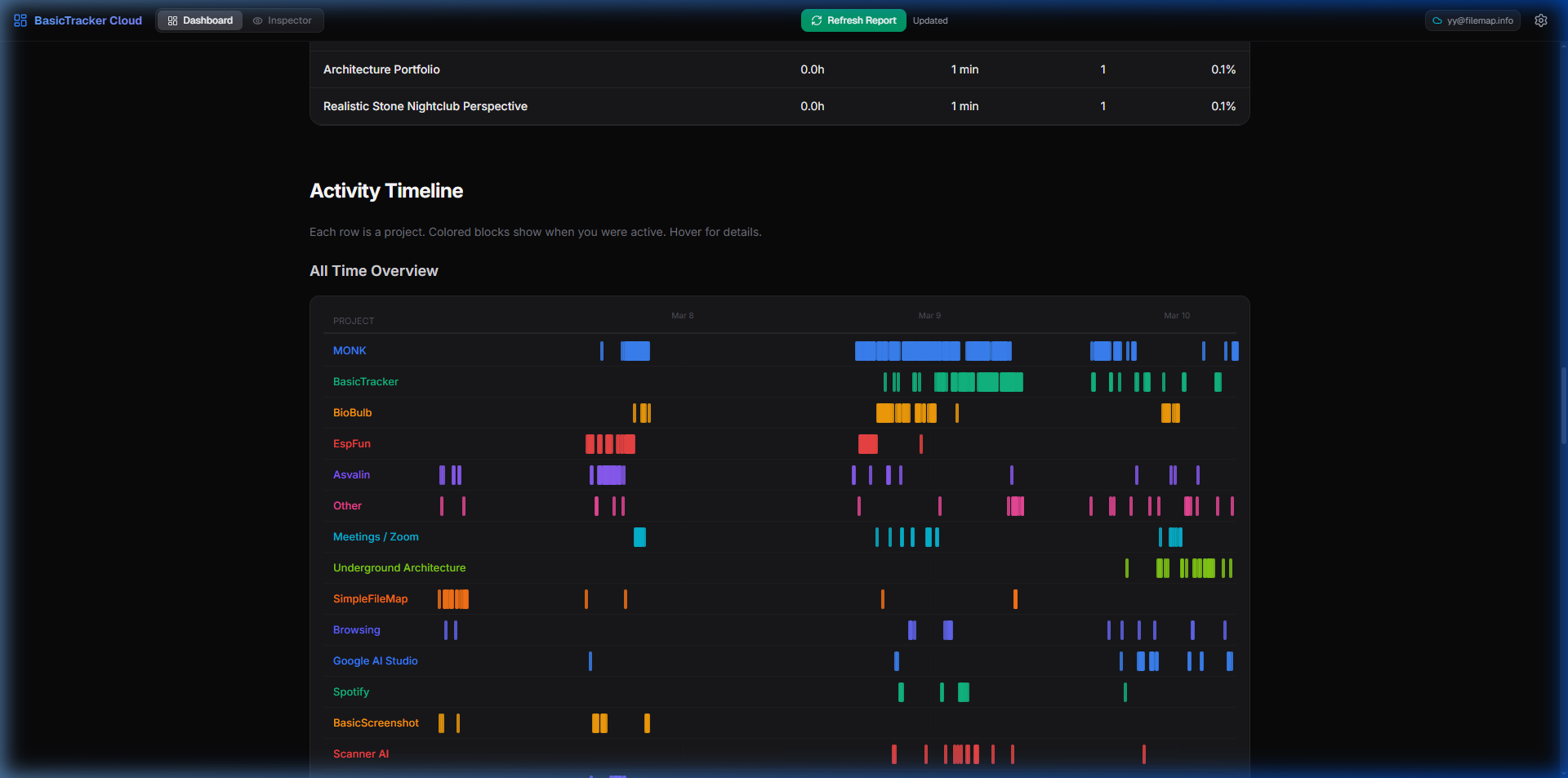
Visual activity timeline
A Gantt-style timeline shows exactly when you worked on each project. Hover any block to see session details, duration, and context.
How it works
Three simple steps. No manual time tracking ever again.
Install & Forget
Download the Windows app. It starts on boot, runs silently, and takes a screenshot every 5 minutes — completely in the background.
AI Analyzes
Gemini Vision AI analyzes each screenshot to detect which project, app, or website you're using. No manual tagging — it just works.
View Insights
If you have multiple computers, it aggregates everything. Open the cloud dashboard from any browser to see the full picture.
Start tracking your time.
Download BasicTracker, let it run, and see where your hours go. No manual input needed — ever.